MiroFish GitHub: read the repository before you deploy it.
MiroFish GitHub is for developers and technical evaluators who need the source link plus a practical checklist for setup, licensing, model configuration, deployment, and data boundaries.
MiroFish report generation workspace used here to explain MiroFish GitHub.
1Focused reader question
3MiroFish product images from the notepad set
2:30Animated workflow walkthrough with input, graph, agents, simulation, and report
Direct answer
A MiroFish GitHub search is usually navigational, but the useful page must answer the next question: what should be checked before copying commands or uploading a real source packet? Begin with the current README, license, environment requirements, recent changes, and issue history.
Use MiroFish GitHub as the source-of-truth checkpoint when you plan to install, self-host, or verify a dependency. A green local start is not the same as a production-ready deployment: review model-provider calls, storage, logs, backups, authentication, and the path your scenario data takes before treating a self-hosted instance as private.
01 README02 LICENSE03 ENVIRONMENT04 DATA PATHS05 SAFE TEST
Repository review
Trace what changes when code becomes a running service.
Each check should leave a short record: version, command, dependency, data boundary, and result. That makes the next setup repeatable instead of mysterious.
Turn your question into a reviewable scenario
Use these steps to move from an initial question to a scenario, report, or practical next action.
Seed -> graph -> agents -> report
Open the public repository
Read the current README before relying on a copied command.
Check the license
Confirm the terms fit your hosting, commercial, and distribution plan.
Map data paths
Identify model calls, storage, logs, and any external services.
Run a safe test
Use public material and record the exact version and result before private use.
Build a quick scenario worksheet
Draft the first MiroFish run on this page before opening a workspace.
Interactive worksheet
Prepare a useful first run
MiroFish GitHub is most valuable when it produces a small operational record rather than a copied command. Write down the commit or release, runtime version, package manager, model configuration, storage location, and the public test scenario that was used. This record gives the next engineer a way to reproduce what you actually evaluated.
Before moving from a local machine to a shared environment, use the MiroFish GitHub materials to trace every boundary. Ask which service receives the source text, where reports persist, how logs are retained, who can read them, and what happens when the provider or dependency changes. These questions are practical deployment work, not optional paperwork.
A repository review also helps teams avoid false confidence. A successful install only proves that one configuration started. It does not prove performance, privacy, backups, cost control, or a safe upgrade path. MiroFish GitHub should lead to a bounded test and a clear list of operating questions.
Review checklist
Before acting on a MiroFish output, check whether the scenario stayed inside the question you asked. The most useful output for this page is: A repeatable repository review note: version, setup path, dependencies, data boundaries, first-run evidence, and unresolved operational questions. The key limit is equally important: Repository instructions change. Verify the current source and license directly; this guide is not legal, security, or deployment approval.
Open the public repository. Read the current README before relying on a copied command.
Check the license. Confirm the terms fit your hosting, commercial, and distribution plan.
Map data paths. Identify model calls, storage, logs, and any external services.
Run a safe test. Use public material and record the exact version and result before private use.
What to compare in the output
Use these checkpoints to turn the first MiroFish result into a grounded next action.
Review before action
README: Current setup steps. Establishes the supported path. Check the revision date.
License: Reuse and hosting terms. Prevents a false assumption. Review the source directly.
Environment: Model and service settings. Makes dependencies visible. Do not expose secrets.
First run: A public test scenario. Produces repeatable evidence. Record version and outcome.
Watch the full MiroFish workflow
This 2 minute 30 second animated walkthrough moves from source material through graph construction, agent activity, simulation events, report review, and follow-up questions.
2:30 animated walkthrough
Follow the full animated workflow, then use the page-specific checklist to prepare your own MiroFish run.
Product screenshots from the workflow
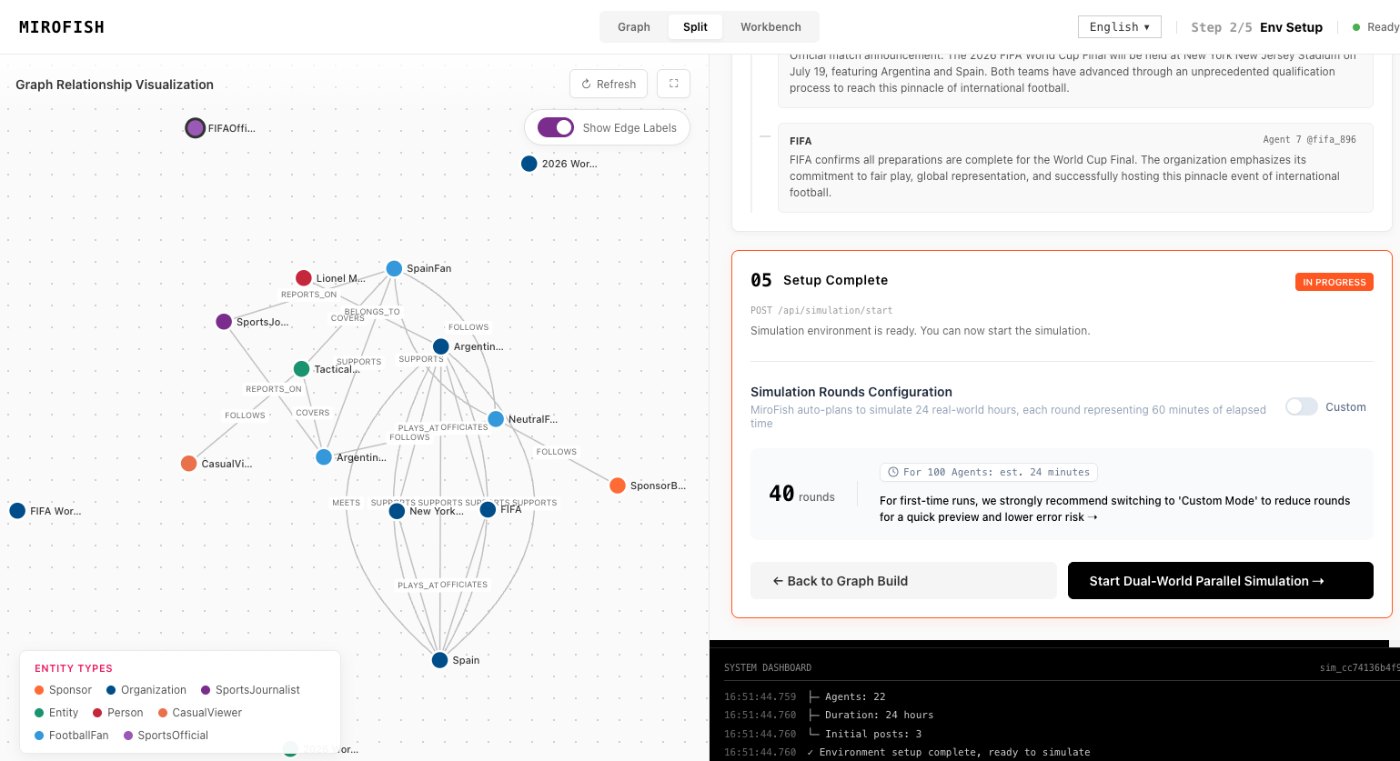
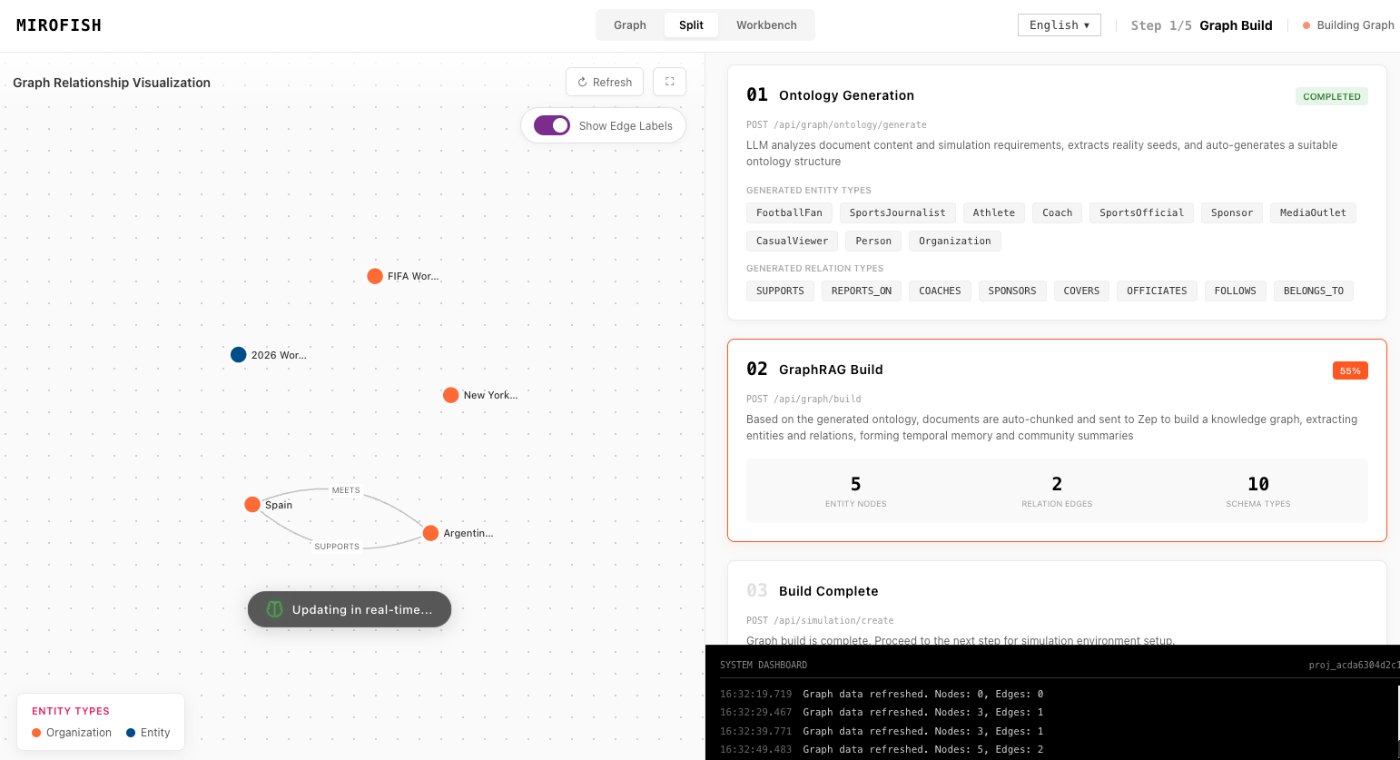
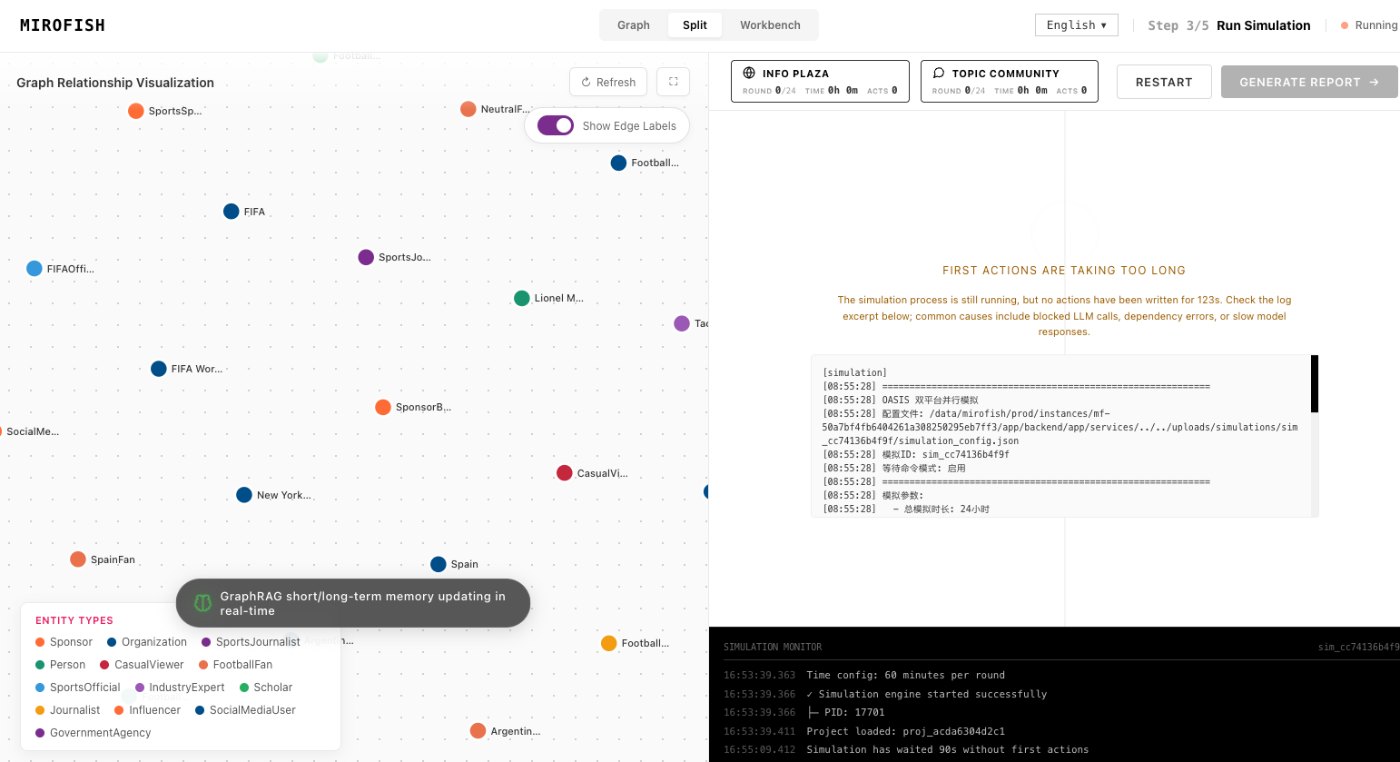
These images come from the notepad MiroFish image set and are used as concrete workflow references rather than decoration.
2 more images
MiroFish relationship graph review used as a concrete workflow reference.MiroFish follow-up analysis workspace used as a concrete workflow reference.
A realistic use case
A developer evaluating MiroFish can run a small public policy scenario, save the commit reference and environment notes, then decide whether the model and storage boundaries meet the team’s requirements.
The value of the page is practical: define the job, prepare the right input, read the output with its limits visible, and choose a next step that can be checked outside the page.
How to read the report
Read a MiroFish report as a map of assumptions and reactions. Mark source-backed claims, uncertain claims, and follow-up questions separately. Then choose one change for the next run instead of accepting the first report as final.